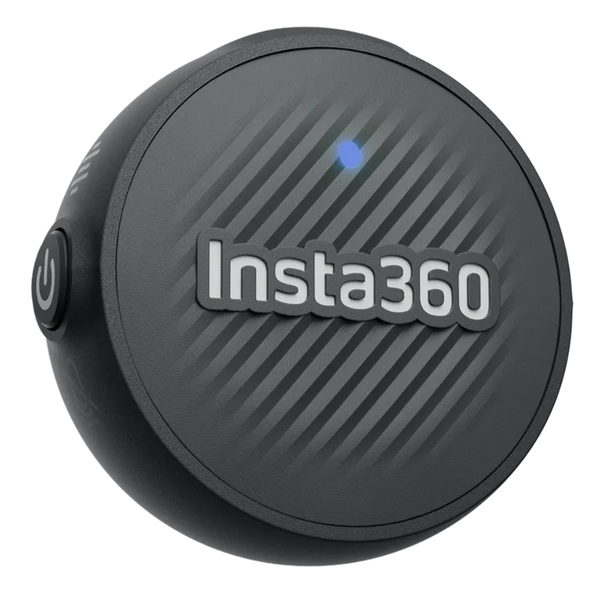
Insta360 Mic Air Transmitter
Original price was: $49.99.$15.00Current price is: $15.00.
Details:
- Ultralight 7.9g transmitter, as compact as a coin.
- 48kHz high-quality audio with built-in noise reduction.
- 10-hour battery life and 300m stable wireless range.
- Wear it however you’d like. Magnetic, clip-on, or pendant functionality.
-
Dimensions: Ø22.7 mm (0.89 in), height 17.1 mm (0.67 in)
-
Weight: 7.5 g (0.26 oz)
-
Power Consumption: 45 mW
-
Standby Power Consumption: 3.6 mW
-
Wireless Mode Operating Frequency: 2.407 GHz ~ 2.467 GHz
-
Equivalent Isotropically Radiated Power (E.I.R.P): 10 dBm
-
Bluetooth Frequency Range: 2.402 GHz ~ 2.480 GHz
-
Frequency Response Range: 50 Hz ~ 16 kHz
-
Sampling Rate/Bit Depth: 48 kHz/24 bit
-
Transmitter Battery Specifications: 3.7 V/77 mWh (non-replaceable)
-
Charging Temperature Range: 0℃ to 45℃ (32°F to 113°F)
-
Operating Temperature Range: -10℃ to 45℃ (14°F to 113°F)
How to use:
-
When using the Transmitter for the first time, long press the button for 3 seconds to enter Pairing Mode. The indicator light will begin flashing red rapidly.
-
Power on the camera. Swipe down on the camera touchscreen to access the Shortcut menu. Tap Swipe to Open Settings, then select Insta360 Mic Air TX to search for the transmitter. If the connection is successful, the Transmitter’s indicator light will turn solid blue.
-
When connected, press the button on the Transmitter once to take a photo or a video (requires enabling control in the camera’s shooting settings). Press twice to toggle noise reduction. Press three times to toggle mute.
-
After pairing the Transmitter with the camera, they will automatically reconnect the next time both devices are powered on.
-
To connect to a different Insta360 camera, ensure the Transmitter is powered off. Then long press the button for 3 seconds to enter Pairing Mode. The indicator light will start flashing rapidly. Connect to the new camera as described in step 2.
-
To recharge the Transmitter, attach it to the Charging Base as shown in the page 2. Make sure the charging contacts are properly aligned.
Connecting the Transmitter to an Insta360 Camera via Bluetooth
-
When using the Transmitter in combination for the first time, long press the Transmitter button for 3 seconds to power it on and enter Pairing Mode. The indicator light will begin flashing red rapidly.
-
Long press the side button on the camera lens of the Insta360 Mic Air camera for 5 seconds to enter Pairing Mode. The indicator light will flash blue rapidly.
-
When connecting the Transmitter to the Insta360 camera, ensure the connection is powered on. Swipe down on the camera touchscreen to access the Shortcut menu. Tap Insta360 Mic Air TX to search for the Transmitter. If the connection is successful, the Transmitter’s indicator will turn solid blue.
-
Press the button on the Transmitter once to take a photo or control photo group (depends on specific shooting mode). Press twice to toggle noise reduction. Press three times to toggle mute.
-
After pairing, the Transmitter will turn on, they will automatically reconnect the next time both devices are powered on.
-
To connect to a different Insta360 camera, ensure the Transmitter is powered off. Then long press the button for 3 seconds to enter Pairing Mode. The indicator light will start flashing rapidly. Connect to the new camera as described in step 2.
-
The Transmitter will automatically connect to the most recently paired Receiver or camera when powered on. Double press the Transmitter’s button within 10 seconds after startup to connect to the other device without pairing.